DETAILING BUSINESS / EXCEL TEMPLATE
Quotes, payments,
and the cost of each job.
A straightforward workbook for independent detailers. Keep your job list, payments and expenses together, then see what’s left after the costs you enter.
INSIDE THE WORKBOOK
See the numbers separately.
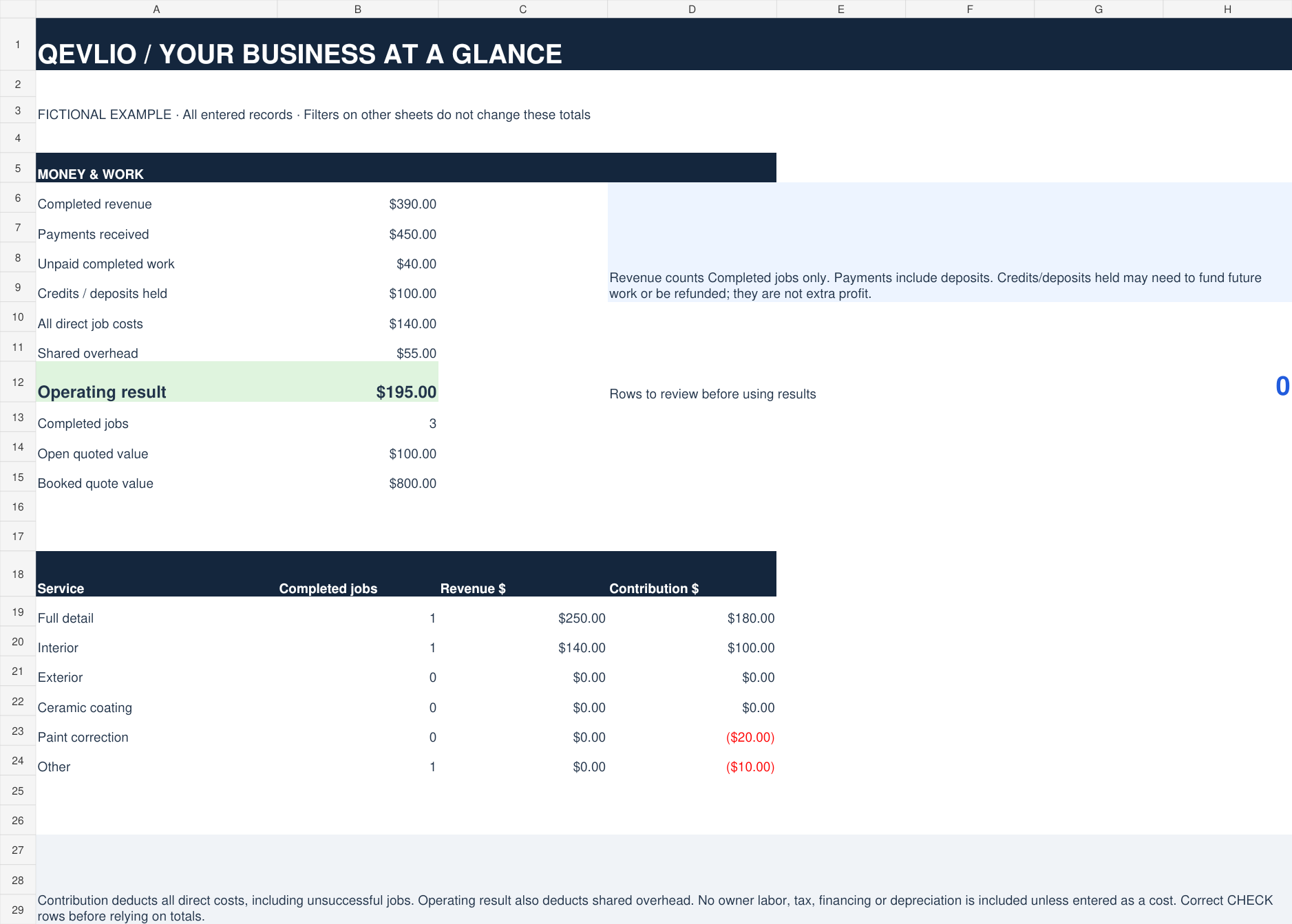
The sample shows $390 of completed work and $450 received. The difference includes a deposit for a future job, so it doesn’t become extra profit.
Included in the download
- 200 quote and job rows with service, source and status dropdowns.
- Payments, outstanding balances and credits or deposits held.
- Direct job costs, 200 shared-expense rows and a service summary.
- A blank workbook, fictional example and instructions in each file.
Before you buy
Two .xlsx files. Excel recommended; spreadsheet software is not included. Google Sheets and Apple Numbers compatibility has not been tested.
Manual entry, no subscription. This is a spreadsheet, with no bank connections, invoicing, automatic reminders or tax filing. Use within one business; no resale or redistribution.
How does it calculate profit?
Only Completed jobs count as revenue. Job contribution subtracts entered direct costs, including costs from cancelled or lost jobs. The operating result then subtracts shared overhead. Owner time and other costs are excluded unless you enter them. This is a management estimate, not a tax report.
Can I record deposits and partial payments?
Yes. Update each job’s cumulative Paid to date amount, net of refunds. The workbook separates unpaid completed work from deposits and credits. It is not a dated transaction ledger. All service amounts exclude sales tax and tips.
Can I add more than 200 jobs?
This version calculates rows 6–205 only. Use another copy when full or for a new reporting period. Typing beyond those rows does not extend the dashboard totals.
How do I receive the files?
After Stripe checkout, return to your private download page. Both workbooks unlock when payment clears. Bookmark that page and keep its link private. If a payment takes longer to clear, return later or email Hridhaan for help. Do not pay again if your download is delayed.